
- Getting Started
- Industry Workflows
- Training
- Features
- Effects
-
Plugins
- AG Core
- AstuteBuddy
- Autosaviour
- ColliderScribe
- DirectPrefs
- DynamicSketch
- FindReplace
- InkFlow
- InkQuest
- InkScribe
- MirrorMe
- Phantasm
- Randomino
- Rasterino
- Reform
- Stipplism
- Stylism
-
SubScribe
- Getting Started
- Circle by Points Tool
- Tangent Circle Tool
- Curvature Circle Tool
- Arc by Points Tool
- Tangent Line Tool
- Perpendicular Line Tool
- Connect Tool
- Straighten Tool
- Lock Unlock Tool
- Orient Tool
- Quick Orient Tool
- Orient Transform Tool
- AG Layer Comps Panel
- Art Switcher Panel
- Gradiator Panel
- Gradient Forge Panel
- AG Color Select Tool
- Color Stamp
- Gradient From Art
- Pixels to Vector
- QuickOps
- Texturino
- VectorFirstAid
- VectorScribe
- WidthScribe
- Scripts
- FAQs
- Updates
- Team Licensing
- Reseller Licensing
- Astute Manager
Centerline
![]() Path Zipper Tool
Path Zipper Tool

Illustrator Location:
It is sometimes necessary to split a path at one of its anchor points, or remove one or more segments from a path. Although these operations can obviously be done using other existing tools, Path Zipper provides “one-click” convenience functions with which to do them, avoiding the need to change tools.
First, if a single anchor point is within the cursor circle, Option/Alt-clicking will split the path at that point (creating two paths, if the path was open). Second, if one (or more than one, as long as they are contiguous) segments of a single path are within the cursor circle, Option/Alt-clicking will remove those segments from the path (also creating two paths, if the path was open).
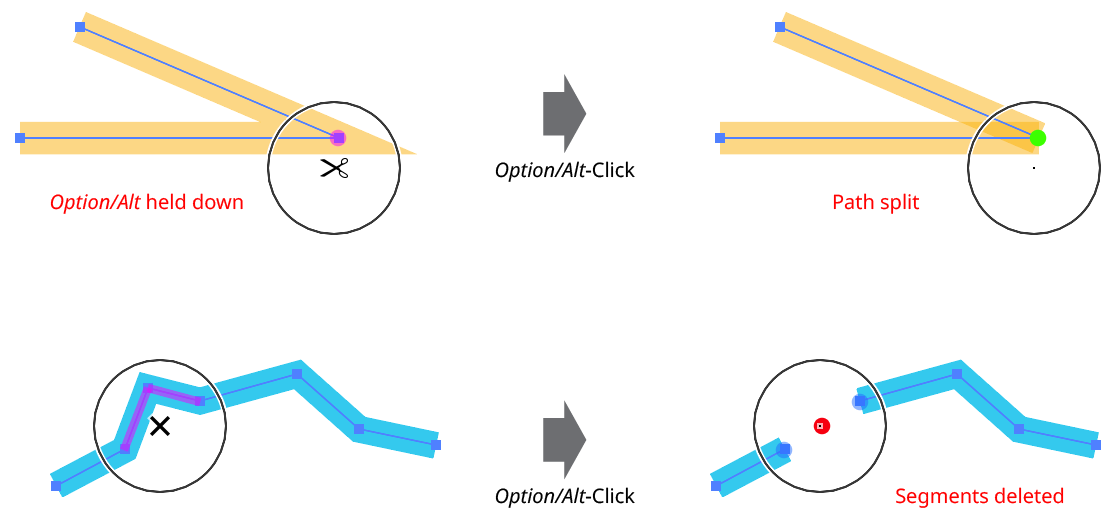
Path Zipper Splitting and Deleting Segments
In both cases, the Path Zipper cursor changes to indicate the function (showing scissors for split path and an “×” for delete segment), and the affected anchor point or segment(s) are highlighted in semi-transparent magenta.
These convenience functions can speed up the process of creating centerlines from outlined paths:
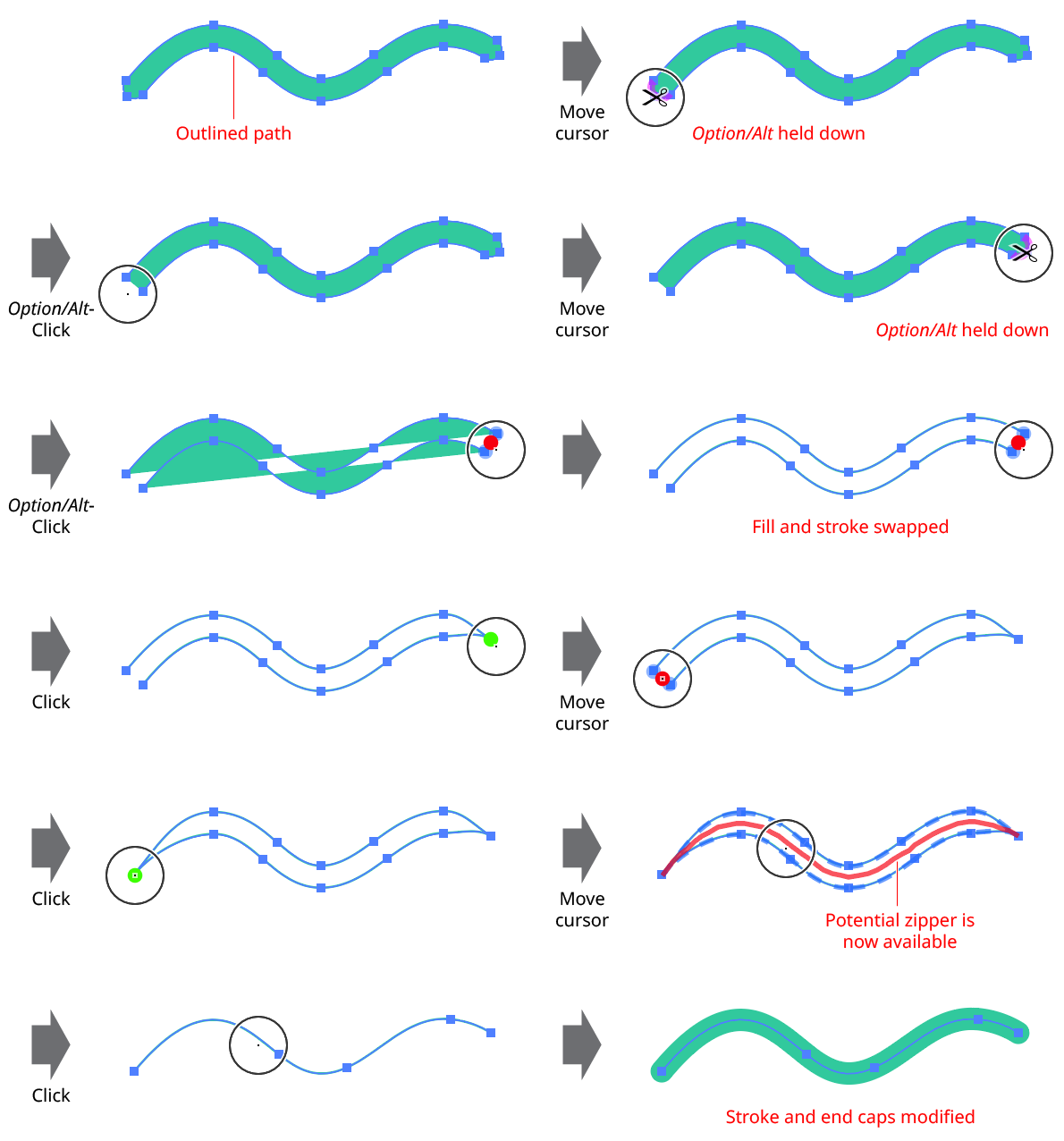
Path Zipper Creating Centerline
After zipping together the two paths to create the centerline, Path Zipper, by default, automatically removes one of the two paths, since they are now duplicates. This behavior can be specified in the Path Zipper Preferences dialog (see below).