
- Getting Started
- Industry Workflows
- Training
- Features
- Effects
-
Plugins
- AG Core
- AstuteBuddy
- Autosaviour
- ColliderScribe
- DirectPrefs
- DynamicSketch
- FindReplace
- InkFlow
- InkQuest
- InkScribe
- MirrorMe
- Phantasm
- Randomino
- Rasterino
- Reform
- Stipplism
- Stylism
-
SubScribe
- Getting Started
- Circle by Points Tool
- Tangent Circle Tool
- Curvature Circle Tool
- Arc by Points Tool
- Tangent Line Tool
- Perpendicular Line Tool
- Connect Tool
- Straighten Tool
- Lock Unlock Tool
- Orient Tool
- Quick Orient Tool
- Orient Transform Tool
- AG Layer Comps Panel
- Art Switcher Panel
- Gradiator Panel
- Gradient Forge Panel
- AG Color Select Tool
- Color Stamp
- Gradient From Art
- Pixels to Vector
- QuickOps
- Texturino
- VectorFirstAid
- VectorScribe
- WidthScribe
- Scripts
- FAQs
- Updates
- Team Licensing
- Reseller Licensing
- Astute Manager

The Rename Swatches operation renames selected flat-color swatches (including global and spot colors) with human-friendly color names, using an internal database of over two thousand names.
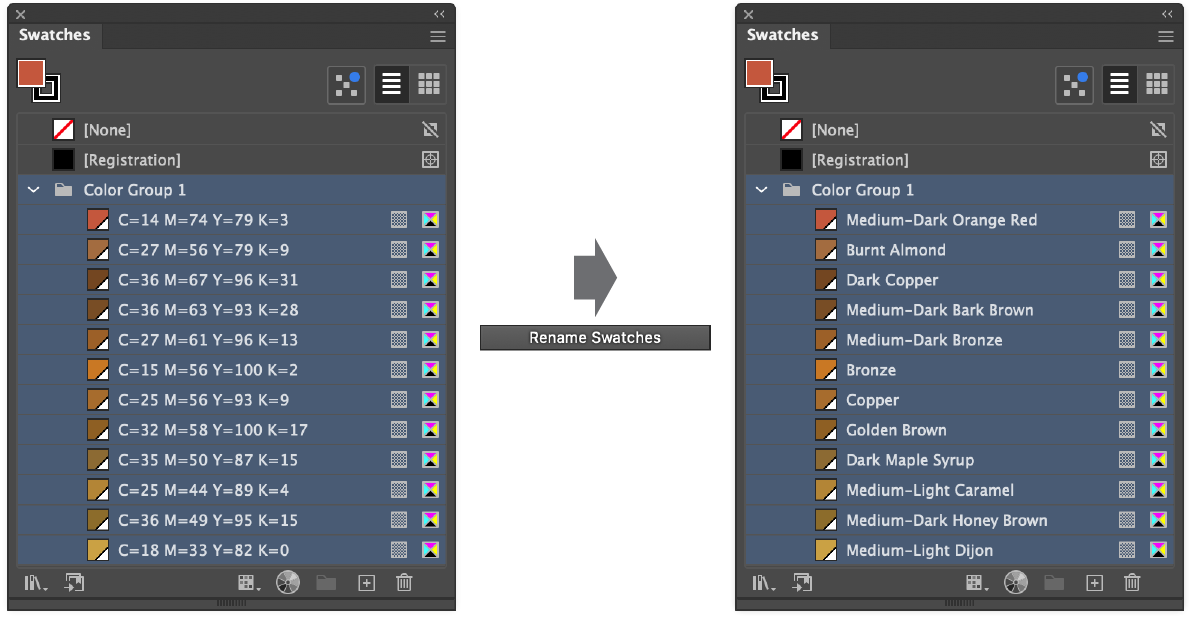
QuickOps Rename Swatches Example
Holding down Shift when clicking the button can use a different naming mode, if the settings are so configured. To configure the settings, click the small icon to the right of the button, which will bring up the settings dialog:
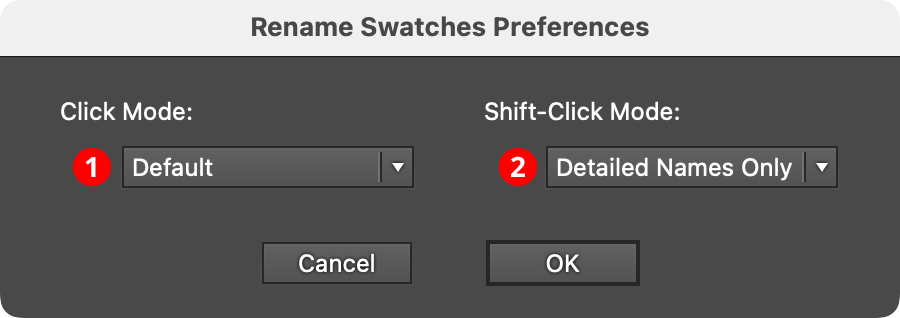
QuickOps Rename Swatches Preferences
1. Click Mode
Specifies which naming mode (see below) to use when the button is clicked with no modifier keys pressed.
2. Shift-Click Mode
Specifies which naming mode to use when the button is clicked with the Shift key pressed.
There are three different naming modes:
Basic Names Only: Only simple names like “Purple”, “Yellow”, and “Red-Orange” are used, possibly modified by “Light”, “Dark”, or “Dull”.
Default: Simple names are used, except when two or more colors would be given the same simple name, in which case more detailed names are used to distinguish them, such as “Canary Yellow” and “Cobalt Yellow”.
Detailed Names Only: Detailed names are always used.
In all modes, if two colors are so similar that they would be given the same name, then integers are appended as needed to distinguish them, for example “Candy Pink” and “Candy Pink 2”.
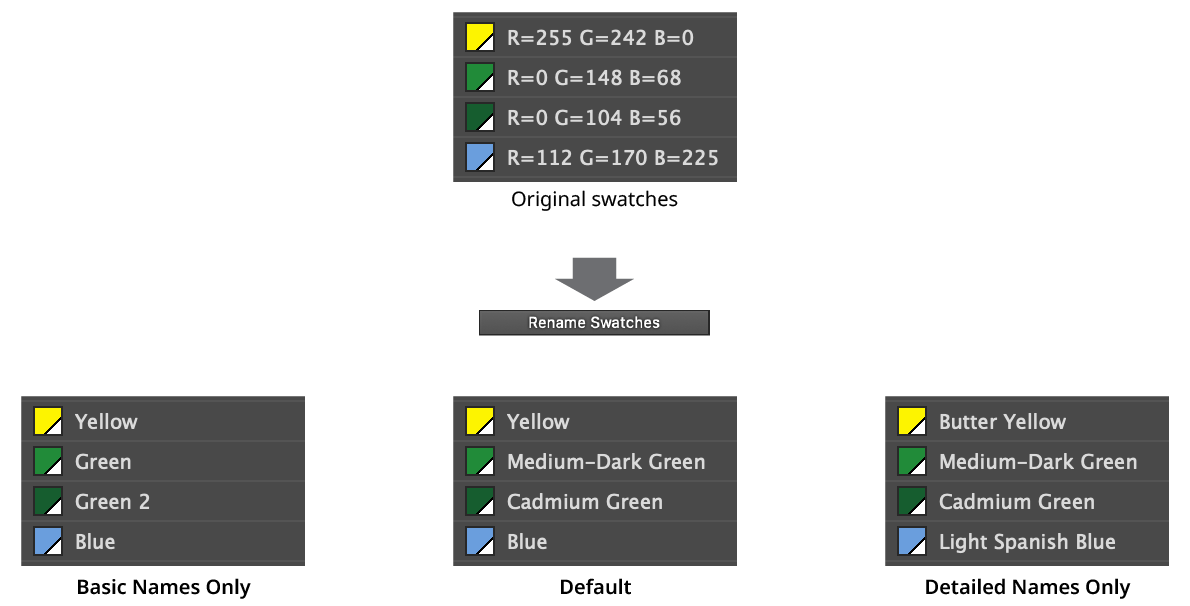
QuickOps Rename Swatches Naming Modes

