
- Getting Started
- Industry Workflows
- Training
- Features
- Effects
-
Plugins
- AG Core
- AstuteBuddy
- Autosaviour
- ColliderScribe
- DirectPrefs
- DynamicSketch
- FindReplace
- InkFlow
- InkQuest
- InkScribe
- MirrorMe
- Phantasm
- Randomino
- Rasterino
- Reform
- Stipplism
- Stylism
-
SubScribe
- Getting Started
- Circle by Points Tool
- Tangent Circle Tool
- Curvature Circle Tool
- Arc by Points Tool
- Tangent Line Tool
- Perpendicular Line Tool
- Connect Tool
- Straighten Tool
- Lock Unlock Tool
- Orient Tool
- Quick Orient Tool
- Orient Transform Tool
- AG Layer Comps Panel
- Art Switcher Panel
- Gradiator Panel
- Gradient Forge Panel
- AG Color Select Tool
- Color Stamp
- Gradient From Art
- Pixels to Vector
- QuickOps
- Texturino
- VectorFirstAid
- VectorScribe
- WidthScribe
- Scripts
- FAQs
- Updates
- Team Licensing
- Reseller Licensing
- Astute Manager
Projects
Projects enables you to bring your project files, Illustrator resources, and team assets together in Astute Manager Pro. Bringing artwork, brushes, swatches, workspaces, and supporting documents into shared collections, it helps your team access the resources they need and install them to the appropriate locations.
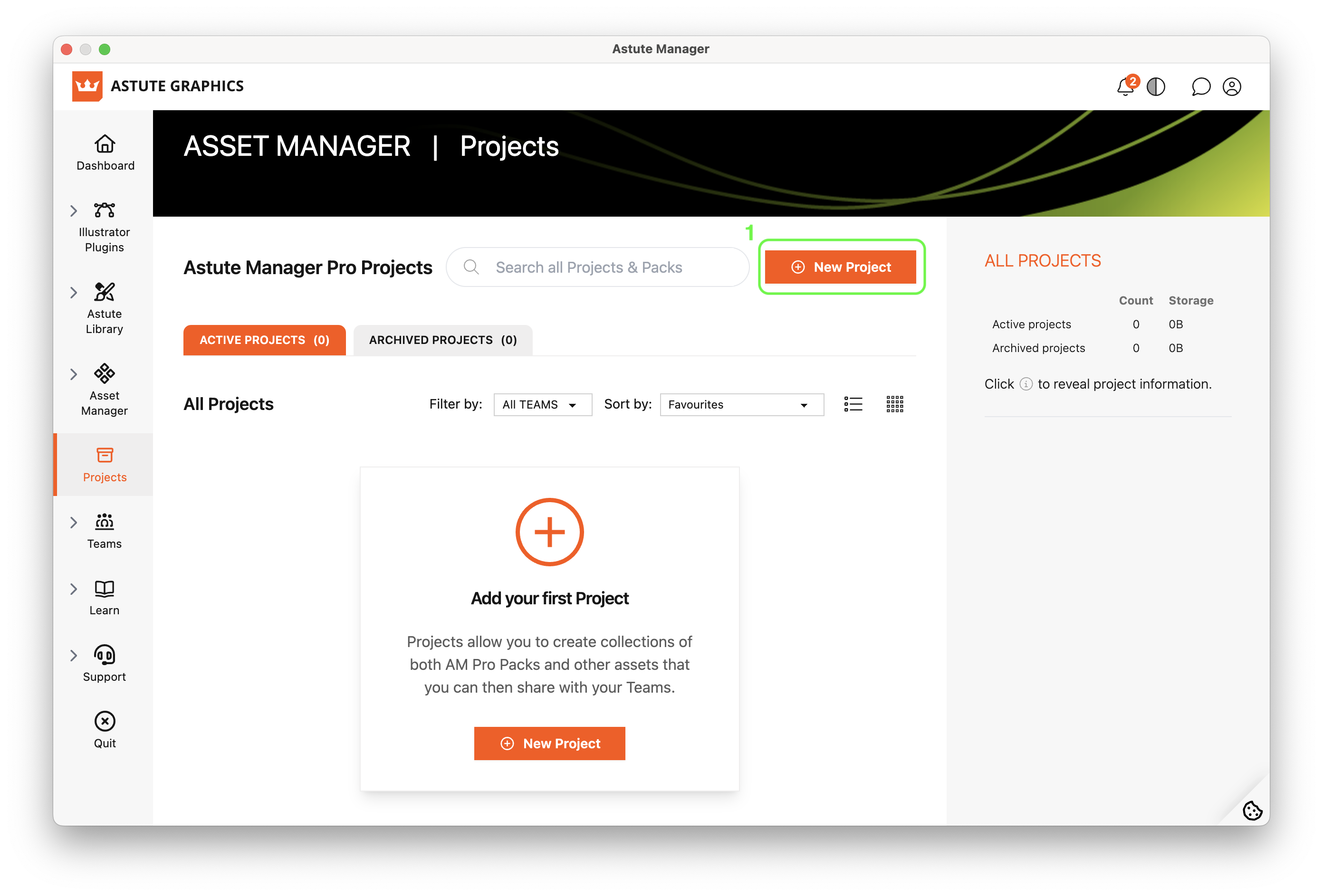
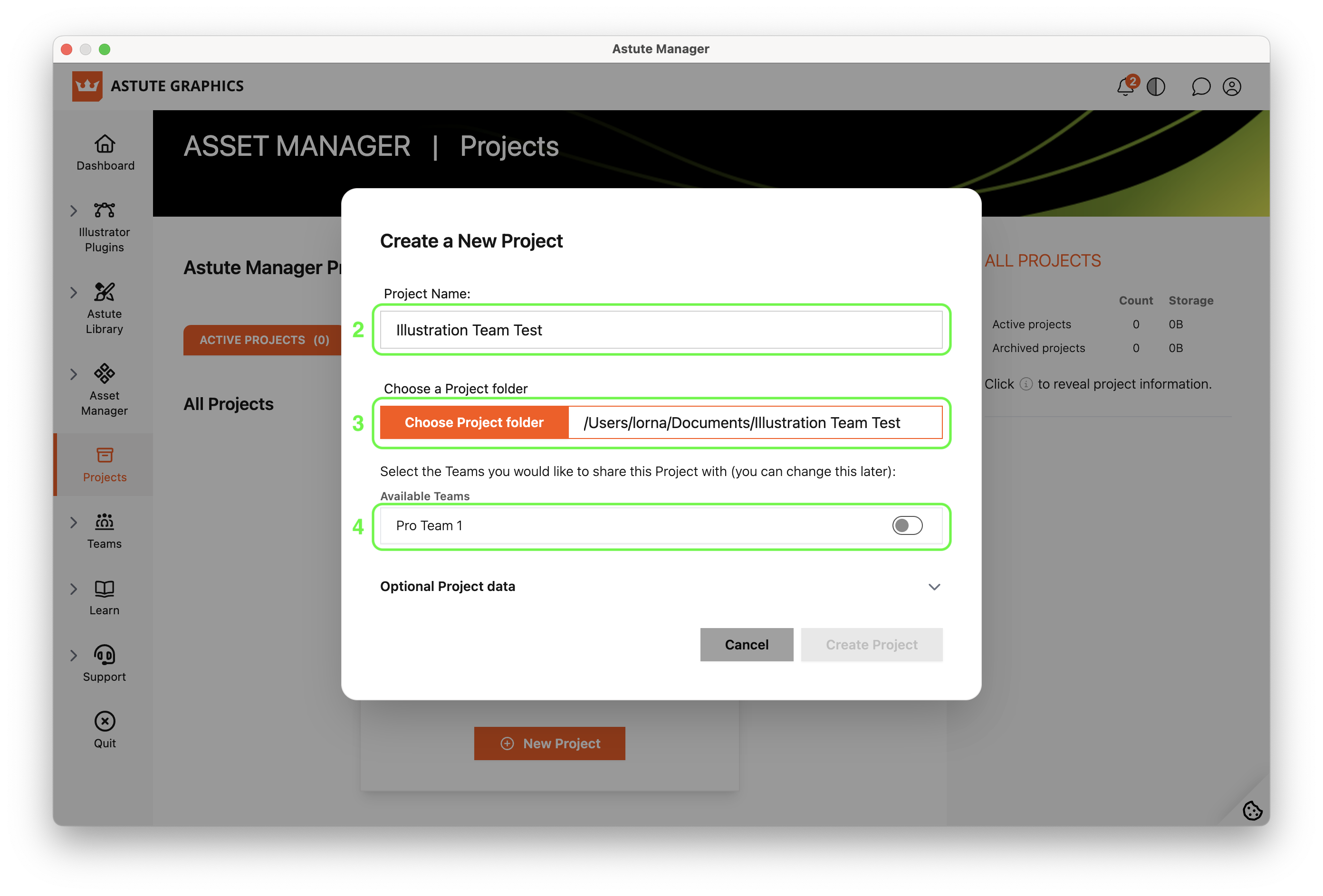
To begin a new project in Astute Manager Pro:
Click + New Project
Give it a name
Choose its local folder
Then select the Team/s you want to share it with.
You can also add optional details, including a description, tags, and URLs, to help people locate, identify, and understand the Project.
Once inside the Project, click + Project Pack to choose between two options:
Create a new pack: Name your pack, browse for files or drag them into the window.
orAdd existing packs: Select any available Project or Illustrator team packs you want to include, bringing existing shared resources into the collection.
This lets you combine files prepared for a particular job with resources your team already uses.
Read more about Projects.