
- Getting Started
- Industry Workflows
- Training
- Features
- Effects
-
Plugins
- AG Core
- AstuteBuddy
- Autosaviour
- ColliderScribe
- DirectPrefs
- DynamicSketch
- FindReplace
- InkFlow
- InkQuest
- InkScribe
- MirrorMe
- Phantasm
- Randomino
- Rasterino
- Reform
- Stipplism
- Stylism
-
SubScribe
- Getting Started
- Circle by Points Tool
- Tangent Circle Tool
- Curvature Circle Tool
- Arc by Points Tool
- Tangent Line Tool
- Perpendicular Line Tool
- Connect Tool
- Straighten Tool
- Lock Unlock Tool
- Orient Tool
- Quick Orient Tool
- Orient Transform Tool
- AG Layer Comps Panel
- Art Switcher Panel
- Gradiator Panel
- Gradient Forge Panel
- AG Color Select Tool
- Color Stamp
- Gradient From Art
- Pixels to Vector
- QuickOps
- Texturino
- VectorFirstAid
- VectorScribe
- WidthScribe
- Scripts
- FAQs
- Updates
- Team Licensing
- Reseller Licensing
- Astute Manager

The Astute Library > Scripts page gives you instant access to a curated set of scripts. If you create scripts using AI (ChatGPT, Claude, Gemini, etc.), MATE or by hand, you can also use the Astute Manager to manage these for your personal use, or across teams.
The Asset Manager > Illustrator > User Settings and Team Settings (available to those who have an Astute Manager Pro teams account) have both been extended to include Scripts assets. These scripts use the same user-defined local folder location as defined when using the Astute Library > Scripts page.
Tip: having created a .JSX Illustrator Script, you can instantly install it for your own personal use by dragging it onto the Asset Manager > Illustrator > User Settings > Scripts tile.
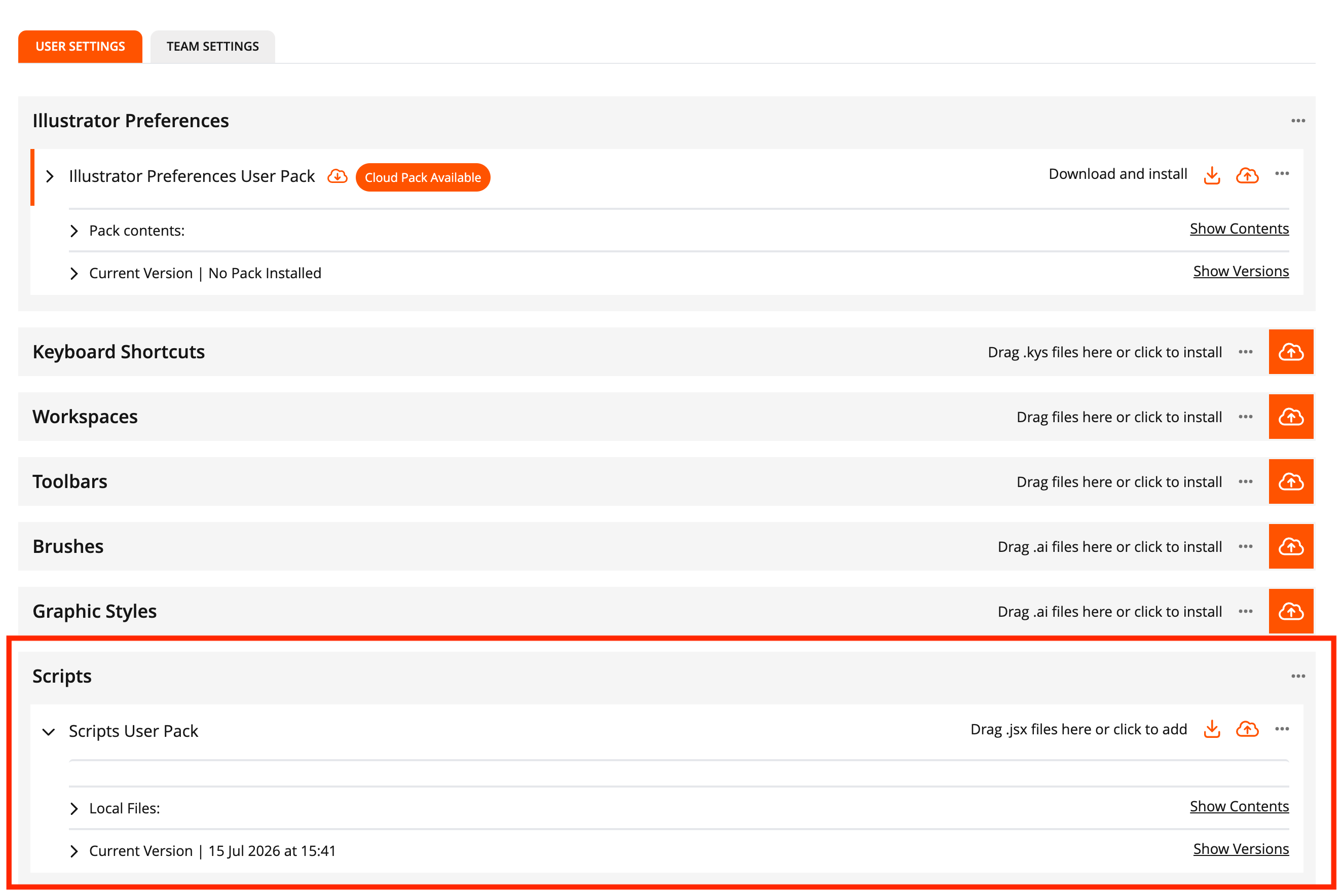
User Scripts can be saved in Astute Manager Pro